DEVELOPER CLOUD API

Vehicle Occupancy Detection in One API Request.

Integrate computer vision into your parking lot maps, mobile apps, and custom digital signage. Send an image and parking spot coordinates—get back instant occupancy analytics. No local servers required.

# Submit image and layout coordinate file for predictions curl -X POST "https://api.lotvulture.com/api/v1/predict" \ -H "X-API-Key: lv_live_your_api_key_here" \ -F "image=@parking_lot.jpg" \ -F "spaces=@spaces.json"
import requests url = "https://api.lotvulture.com/api/v1/predict" headers = {"X-API-Key": "lv_live_your_api_key"} files = { "image": open("parking_lot.jpg", "rb"), "spaces": open("spaces.json", "rb") } response = requests.post(url, headers=headers, files=files) print(response.json())
const formData = new FormData(); formData.append('image', imageFile); formData.append('spaces', spacesJsonFile); const response = await fetch('https://api.lotvulture.com/api/v1/predict', { method: 'POST', headers: { 'X-API-Key': 'lv_live_your_api_key' }, body: formData }); const data = await response.json();
Response JSON (200 OK)
{ "success": true, "latency_ms": 142, "predictions": [ { "space_id": 1, "name": "A1", "occupied": true, "confidence": 0.982 }, { "space_id": 2, "name": "A2", "occupied": false, "confidence": 0.957 }, { "space_id": 3, "name": "A3", "occupied": true, "confidence": 0.991 } ] }

$0.02

Per Image Prediction

$5.00 Free

Credits on Registration

Sub-0.9s

Response Time

98%+

Detection Accuracy

DEVELOPER FIRST

Why Use the Lot Vulture Cloud API?

We host the computer vision models and manage the GPU infrastructure, so you can build solutions quickly.

Zero Server Management

Running on-premises hardware requires GPU acquisition, Linux updates, and power maintenance. Our Cloud API handles model execution entirely on auto-scaling, high-performance AWS cloud rigs.

Pay-As-You-Go Billing

No monthly base fees or minimum usage limits. You are billed exactly $0.02 per prediction, making it cost-efficient for lots that only need scans once every few minutes, or systems during off-peak hours.

High Performance Engine

Powered by the same compiled VultureVision core utilized in our commercial on-site deployments. Sub-second execution speeds guarantee that your displays and maps stay synced in near real-time.

INTEGRATION FLOW

How the API Integration Works

Set up occupancy tracking in your application in three simple steps.

1

Obtain Your Secret API Key

Register on the Developer Portal. Instantly get a unique API key and a free $5.00 credit ledger grant (good for 250 predictions) to verify your integration.

2

Configure Parking Slot Coordinates

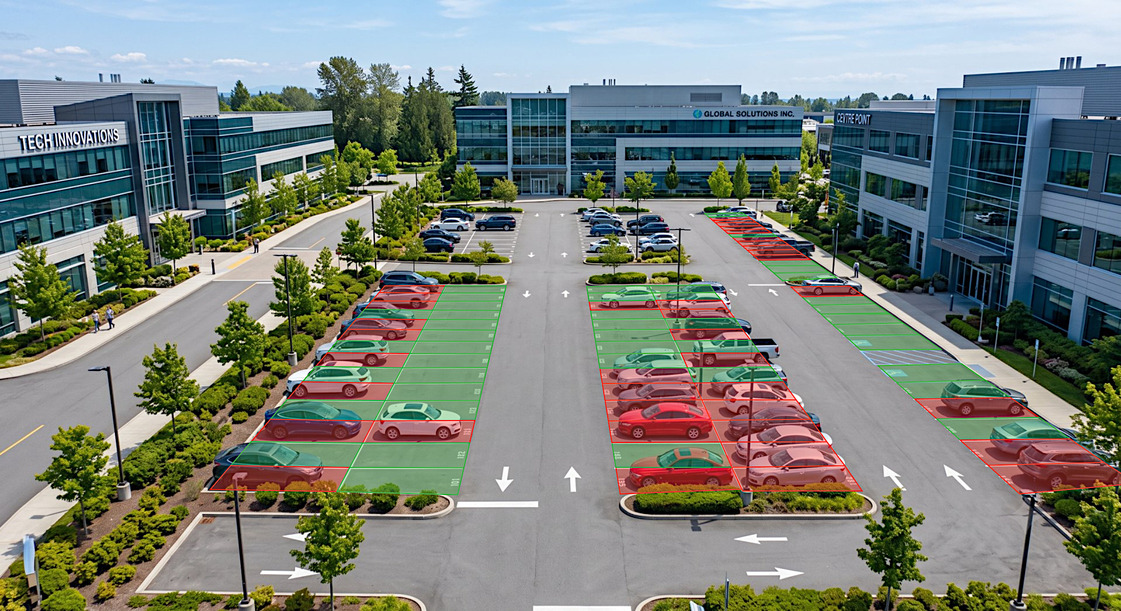
Use our interactive web coordinate editor on the portal. Simply upload a calibration snapshot of your parking lot, draw space polygons, and export the resulting JSON containing spot coordinates.

3

Send Predictions & Fetch Occupancy

Configure a script to regularly capture parking lot snapshots and send them to the Cloud API with your exported coordinate JSON. Receive structured data return parameters immediately.

Get Started Free
Live API Visualization (Tap/Hover to Compare) POST /predict
PREDICT
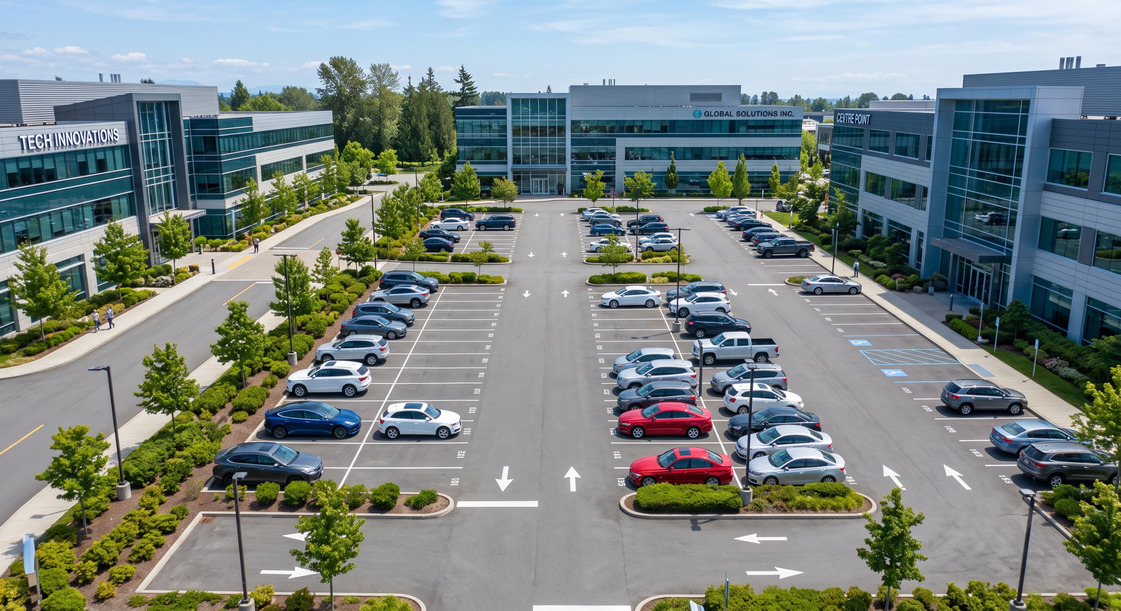
Raw parking lot image Annotated parking lot coordinate prediction map
API FAQ

Developer FAQ

Answers to technical details, implementation queries, and billing setups.

How does billing work and how do I recharge credits?
Our API uses a credit-ledger system. The fee is exactly $0.02 deducted from your balance per successful image prediction. Registration gives you a free $5.00 credit grant automatically. To top up, you can buy credits in $5.00 increments (processed securely via Stripe) or enable Automatic Recharging which refills your account once it falls below $5.00.
Is there a rate limit or concurrency threshold?
To prevent server overload, standard developer accounts have a concurrency ceiling. In the development portal, you can monitor your endpoint response times and request volume logs. If your system requires heavy parallel usage (more than 10 requests per second), contact us for custom enterprise billing limits.
What format do the coordinates need to be in?
The coordinate positions must be a JSON array of coordinates representing a 4-point polygon (exactly 8 numbers). Our web interface handles coordinate drawing dynamically. You can draw your spaces directly over a lot snapshot in the Developer Portal and download the coordinate mapping JSON.